![Chaser-logo-new-white.svg]](https://help.chaserhq.com/hubfs/09%20CHASCEND%20THEME/Logos/Chaser%20Logo/Chaser-logo-new-white.svg)
Your default schedule is the schedule to which all new customers will be automatically assigned.
You can see which of your schedules is set to Default by the tag on the schedules page. In addition, this schedule will always be the first shown on the schedules page:
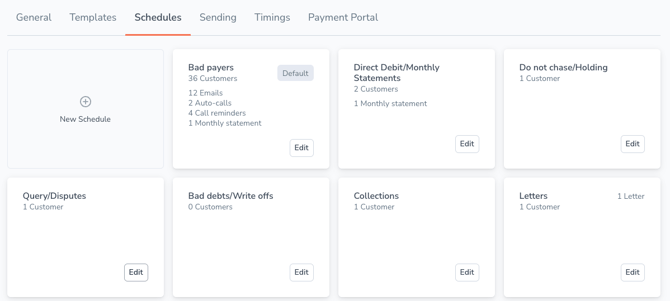
In order to change your default schedule, click Edit on the schedule you would like as your new default.
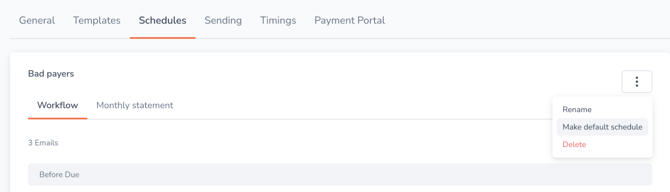
Select the three grey dots in the top right corner of the page and click Make default schedule.
You can then select whether you would like to move the customers on your current default schedule to your new default. To do this, click the checkbox provided:
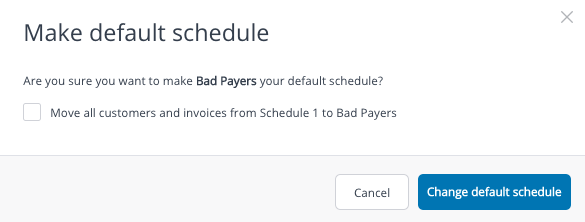
Once you click Change default schedule any new customer you invoice will automatically be added to this schedule.