![Chaser-logo-new-white.svg]](https://help.chaserhq.com/hubfs/09%20CHASCEND%20THEME/Logos/Chaser%20Logo/Chaser-logo-new-white.svg)
What you can do
- Connect Stripe through a secure OAuth flow
- Enable card payments and Direct Debit methods for your customers
- Manage payouts and track activity in the Chaser Pay dashboard
Before you start
- You need admin access to your Chaser account
- You need a Stripe account. If you do not have one, you can create one during the connection flow.
- Stripe requires identity verification. Review Stripe's requirements before you start: https://support.stripe.com/topics/verification
Navigate to Manage > Payment Portal > Payment methods
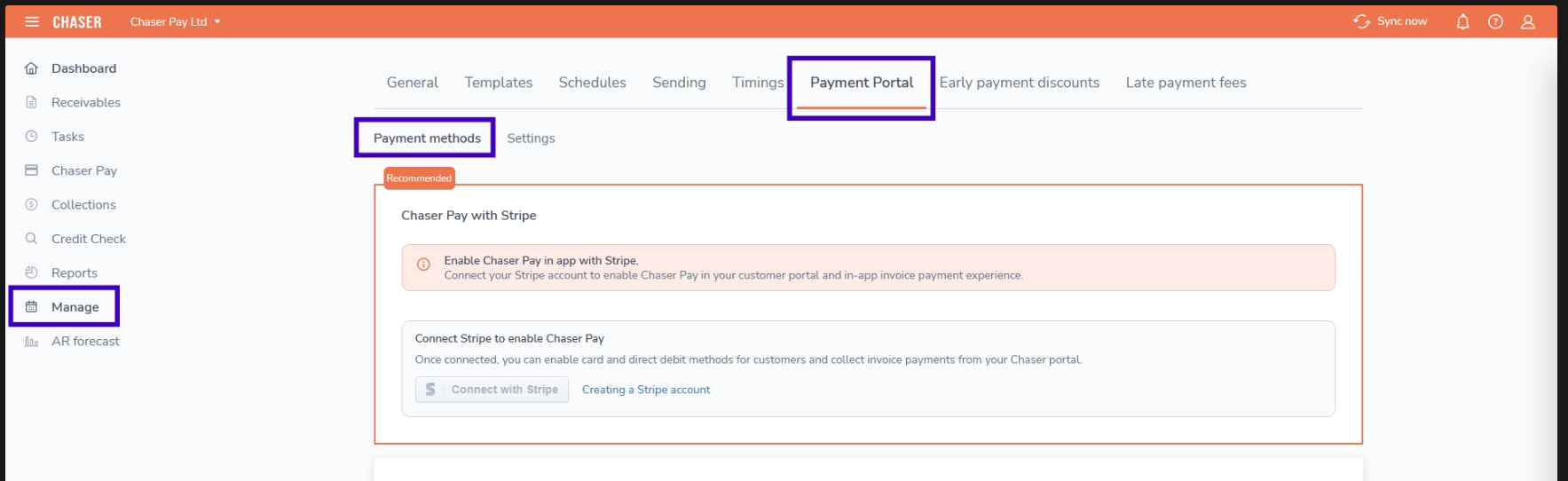
How to setup Stripe
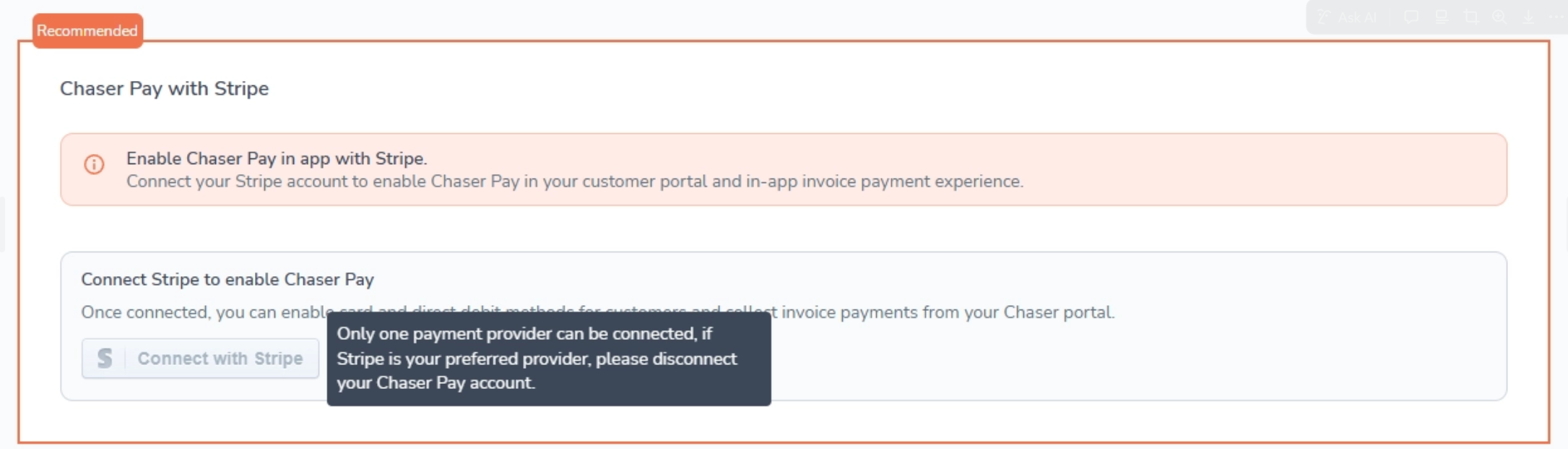
- Ensure you are not connected to Chaser’s legacy Unipaas payment provider - if you are, please use this guide: https://help.chaserhq.com/chaser-pay/migrate-from-unipaas-to-stripe-for-chaser-pay
- Click Connect with Stripe. You are redirected to Stripe to authorise the connection.
- Sign in to your Stripe account and approve Chaser as a connected application.
- You are returned to Chaser and the card shows Connected with a Disconnect option.
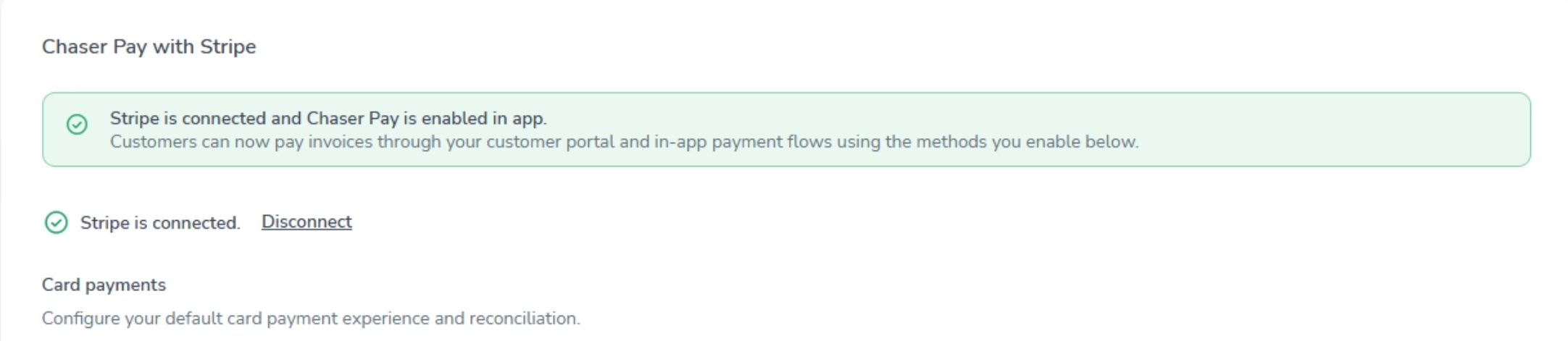
Set up payment methods
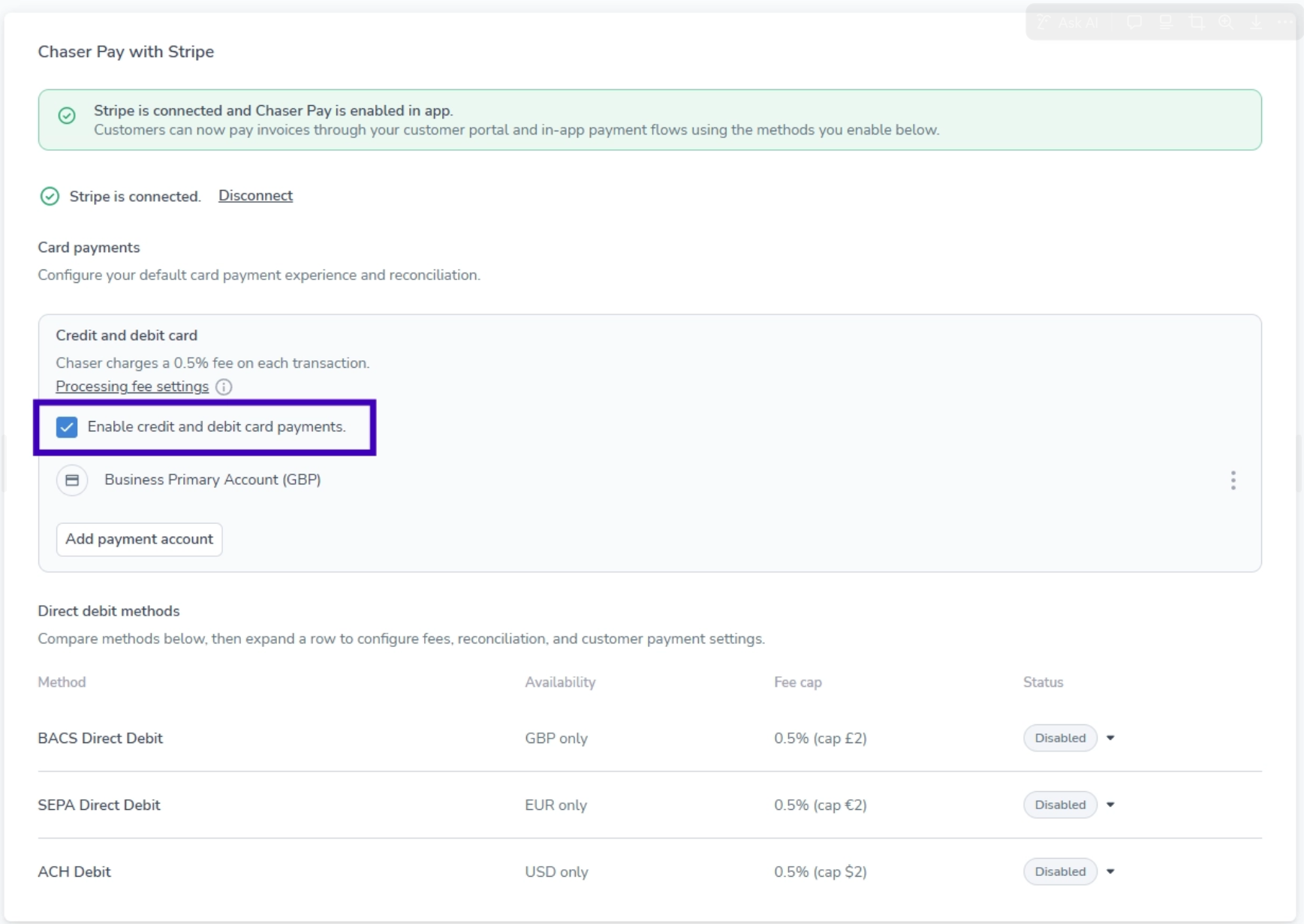
- On the same Payment methods screen, toggle Card payments on.
- If available on your plan, enable Direct Debit methods:
- BACS Debit for GBP payments
- SEPA Debit for EUR payments
- ACH for US dollar payments
- BECS Debit for AUD payments
Access your dashboard
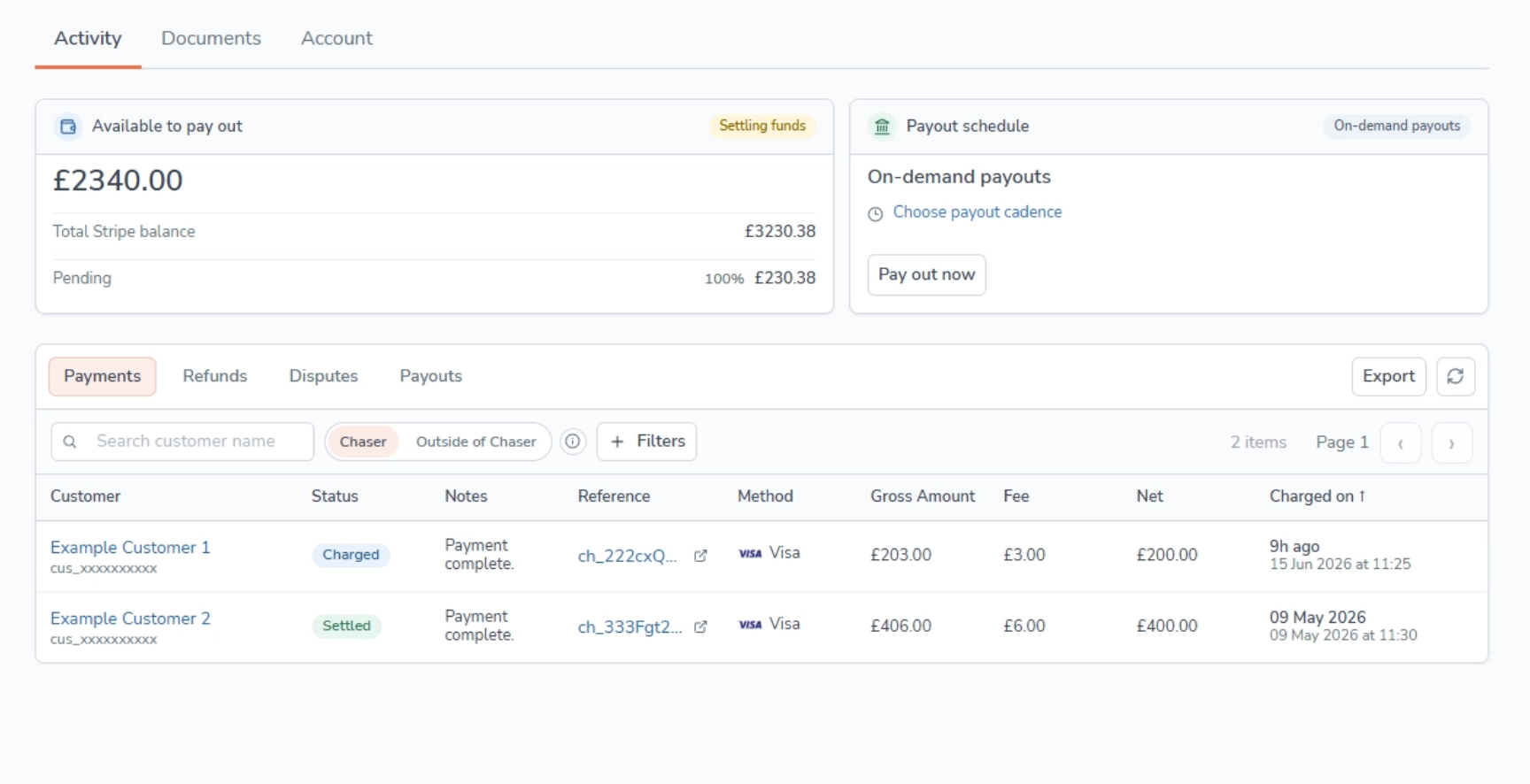
- Click Chaser Pay in the side bar menu on the left to open your Chaser Pay Stripe dashboard.
- View Activity to see payments, refunds, and payouts. Use Documents and Account for Stripe Connect embedded features.
Important things to know
- You can only have one payment provider connected at a time. Disconnect any legacy Unipaas connection first, or the Stripe option may not appear.
- Chaser charges 0.5% on top of Stripe's processing fees for every Chaser Pay transaction. You also pay Stripe's standard fees unless you have a pre-negotiated rate with Stripe.
- Your customers' payment experience does not change. They still pay through the same invoice payment portal.
- Direct Debit methods are behind feature flags and may not be available on all plans.