![Chaser-logo-new-white.svg]](https://help.chaserhq.com/hubfs/09%20CHASCEND%20THEME/Logos/Chaser%20Logo/Chaser-logo-new-white.svg)
Last updated: January 01, 1970
.png?width=688&height=177&name=Frame%201707480122%20(1).png)
View your schedules in Manage > Schedules.
- Click Edit on the schedule you wish to delete
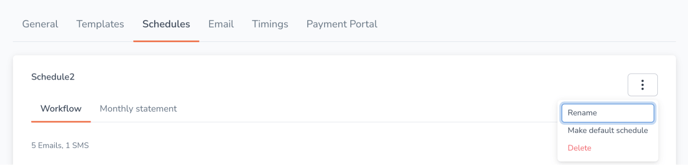
- Click the three dots in the top-right corner of the schedule and select Delete from the drop-down menu
- Click ‘Yes, delete’ to confirm deletion
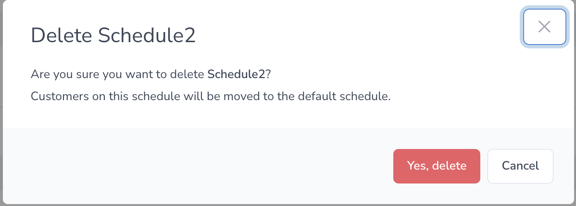
Customers on your deleted schedule will be moved to the default schedule.
Default schedules cannot be deleted. To delete your default schedule you must first select a new default schedule. To do this, follow the instructions here.